
The difference is not a quibble over words. It decides whether you build a new system or make use of the search that is already sitting inside your existing tools – and those are two very different projects. So it is worth looking at the one place where the solutions genuinely differ: the looking-up.
Three routes, one and the same job
In part 1 we described the core of it: look it up, then answer. That still says nothing about how the looking up happens.
1. Keyword search (also: full-text search)
The classic search: it looks for words, with modern methods taking into account how rare and how telling a given word is. The technical term for this is BM25.
This way of searching is mature, fast, inexpensive – and surprisingly often perfectly sufficient. It plays to its strengths wherever people work with fixed terms: article numbers, file references, product names, statutory sections, error messages, proper names. You do not need a vector database for that; practically every common database system comes with a full-text search.
2. Meaning-based search (semantic search, vector search)
Here every section is given a content fingerprint – a series of numbers representing its meaning. The technical term for this is embedding. Your question is given a fingerprint too, and the system looks for the sections closest to it in content.
The gain shows up when question and answer share no words at all:
| What is asked | What is found |
|---|---|
| “How do we actually store the user logins?” | “Session persistence is implemented using Redis.” |
Not a single word in common – the meaning matches all the same (LanceDB). Those fingerprints are exactly what a vector database is built for.
3. Both combined (hybrid search)
In practice the most convincing route, because the two make up for each other’s weaknesses. Keyword search finds the exact article number that meaning-based search misses. Meaning-based search finds the paraphrased question that keyword search misses.
This is no fringe issue: product names, customer numbers, error messages and pieces of code in particular benefit strongly from keyword search. Anyone relying on embeddings alone loses out on precisely those hits. It is no coincidence that full-grown solutions such as Qdrant explicitly support keyword-style and hybrid search alongside meaning-based search (Qdrant).
One point often gets lost here: combining the two does not save you the vector database, it requires both – the keyword index and the content fingerprints. Of the three routes, only plain keyword search manages without a vector database. The hybrid route is therefore the most elaborate of the three, not the middle ground.
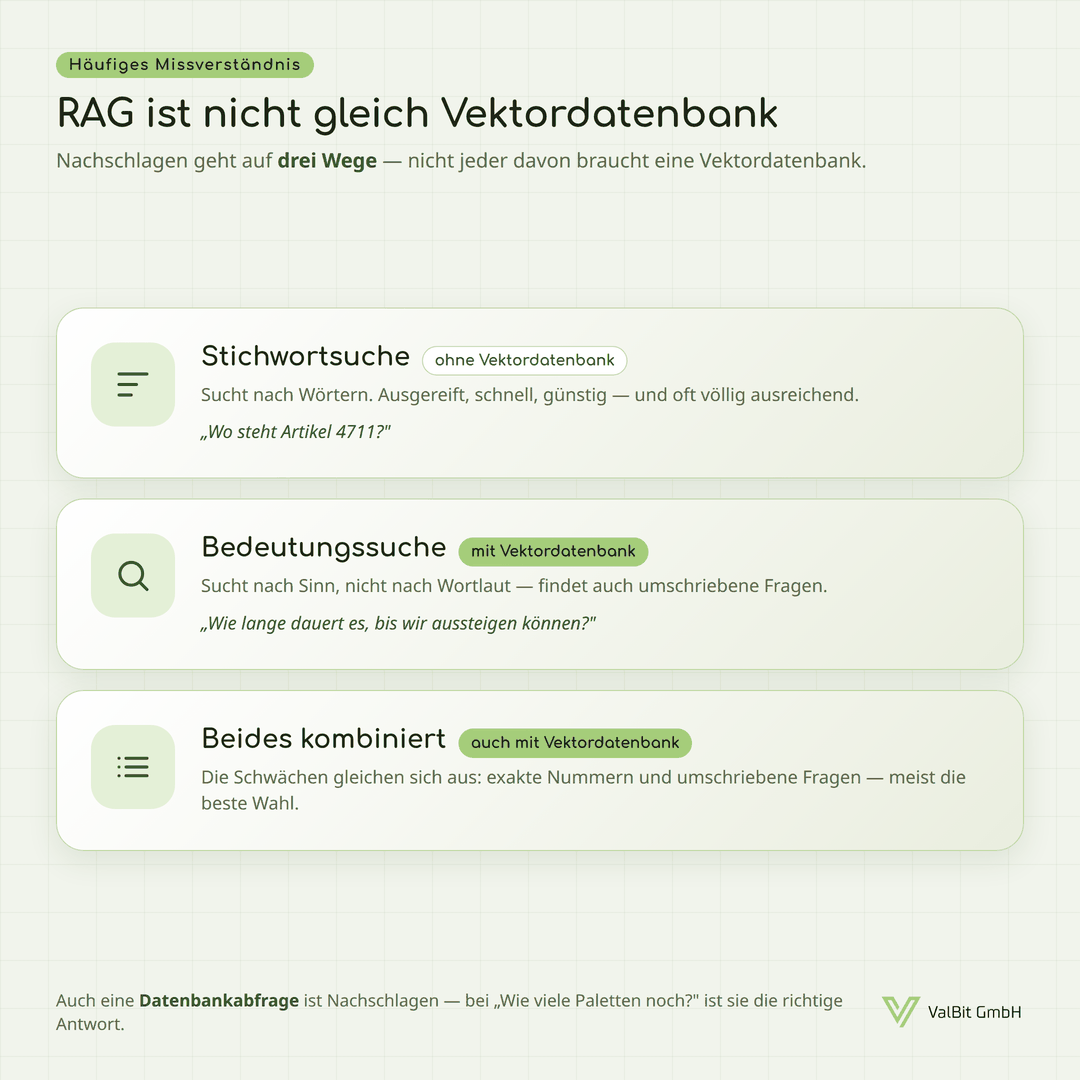
The vector database belongs to two of the three routes, not to RAG as such. Which route fits is decided by the way people in your business ask their questions.
The underrated fourth building block: metadata
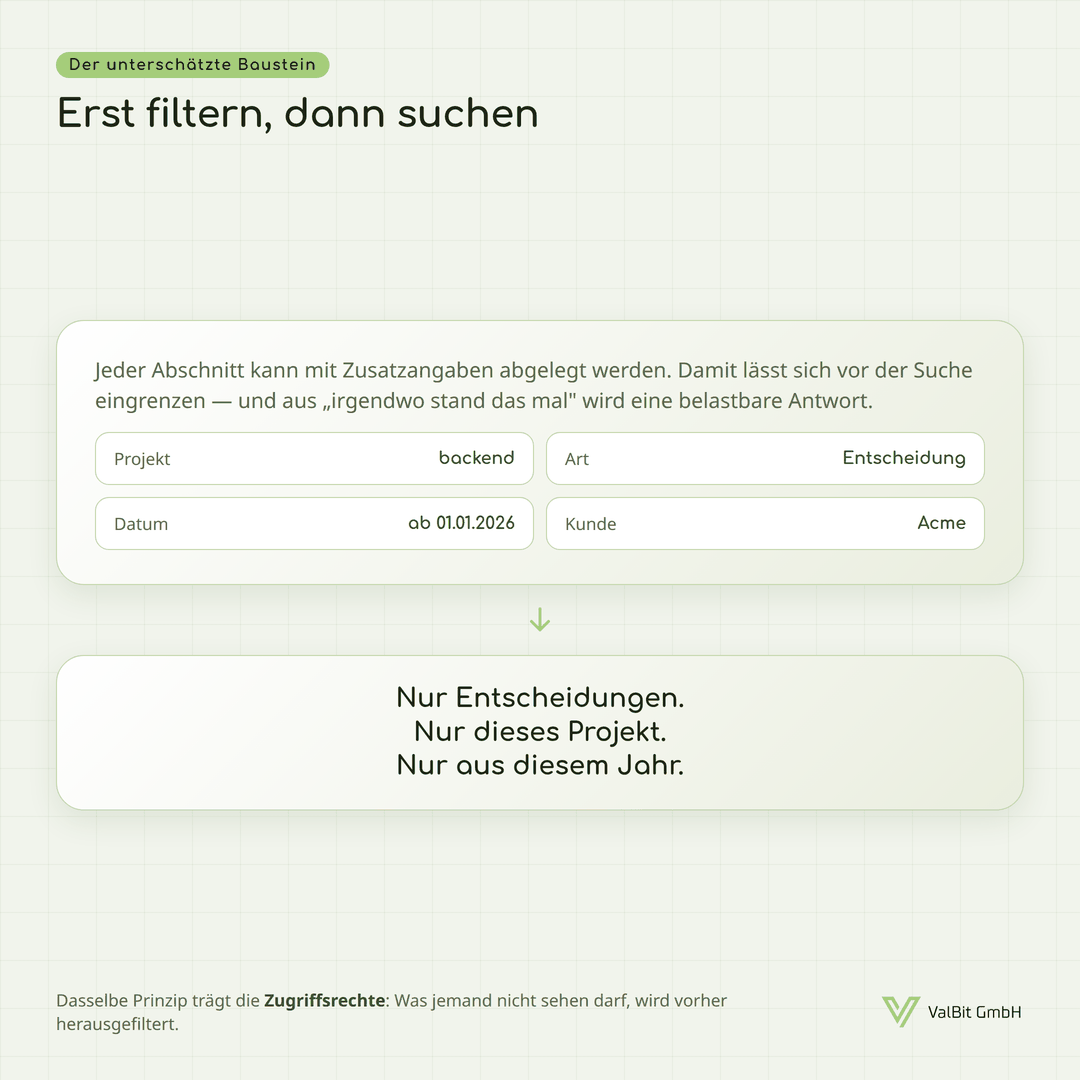
Alongside the search itself, a second mechanism often decides the quality: filters. Every section can be stored with additional details that let you narrow things down in advance:
| Field | Example value |
|---|---|
| Project | backend |
| Date | newer than 01/01/2026 |
| Type | Decision |
| Customer | Acme |
Only this turns “it was written down somewhere” into a dependable search: decisions only, this project only, this year only. The same principle applies to access rights – whatever someone is not allowed to see is filtered out before the search runs.
And the simplest case of all
An entirely ordinary database query is “looking things up” in the sense of RAG as well. For the question “How many pallets of article 4711 do we have left?”, the right answer is a query in the inventory system – not a similarity search across passages of text.
What this means for you
Anyone equating RAG with a vector database may end up building elaborate technology for a problem that a good full-text search would have solved. The sensible order is:
- Look at how people in your business actually ask. With fixed terms, or by paraphrasing?
- Check how far the search you already have will carry you. There is often more there than you think.
- Add meaning-based search where it genuinely contributes – and combine the two routes. Anyone who combines them is also opting for the vector database; on this route it does not fall away, it comes on top.
What comes next
The next part takes on the question that comes up most often: at what point does the effort pay off at all?
Sources
- LanceDB: Vector Search – how meaning-based search works via embeddings
- Qdrant (project page) – support for meaning-based, keyword-style and hybrid search as well as metadata filters
- Best Vector Databases 2026 (Firecrawl) · Comparison (Reintech) – market overview, hybrid search as a distinguishing feature